
Documentation Index

Fetch the complete documentation index at: https://docs.getlemma.com/llms.txt

Use this file to discover all available pages before exploring further.

Opening a Lemma account requires information about your business’s ownership structure. Federal regulations require you to identify a controller — a principal officer with significant management authority — as well as every beneficial owner who holds 25% or more of the business. Depending on your ownership structure, this can mean collecting Social Insurance Numbers and other personal details from several different people. Lemma’s collaboration feature lets multiple people work through the application at the same time, similar to Google Docs. Each person can fill in the sections they’re responsible for directly, so no one has to share sensitive personal information with a coworker.

How collaboration works

When two or more people are in the application at the same time, you’ll see an avatar on the page each coworker is viewing. Any text they type appears on your screen in real time, and anything you type appears on theirs. This means you can divide up the form naturally: your office manager handles the business profile, one owner fills in their own personal details, and another owner fills in theirs — all at the same time without coordinating over email or phone.

Inviting a collaborator

To invite someone to fill out the application with you:
  1. Open your application
  2. Click Share in the left sidebar
  3. Enter the person’s email address and click “Invite collaborator”
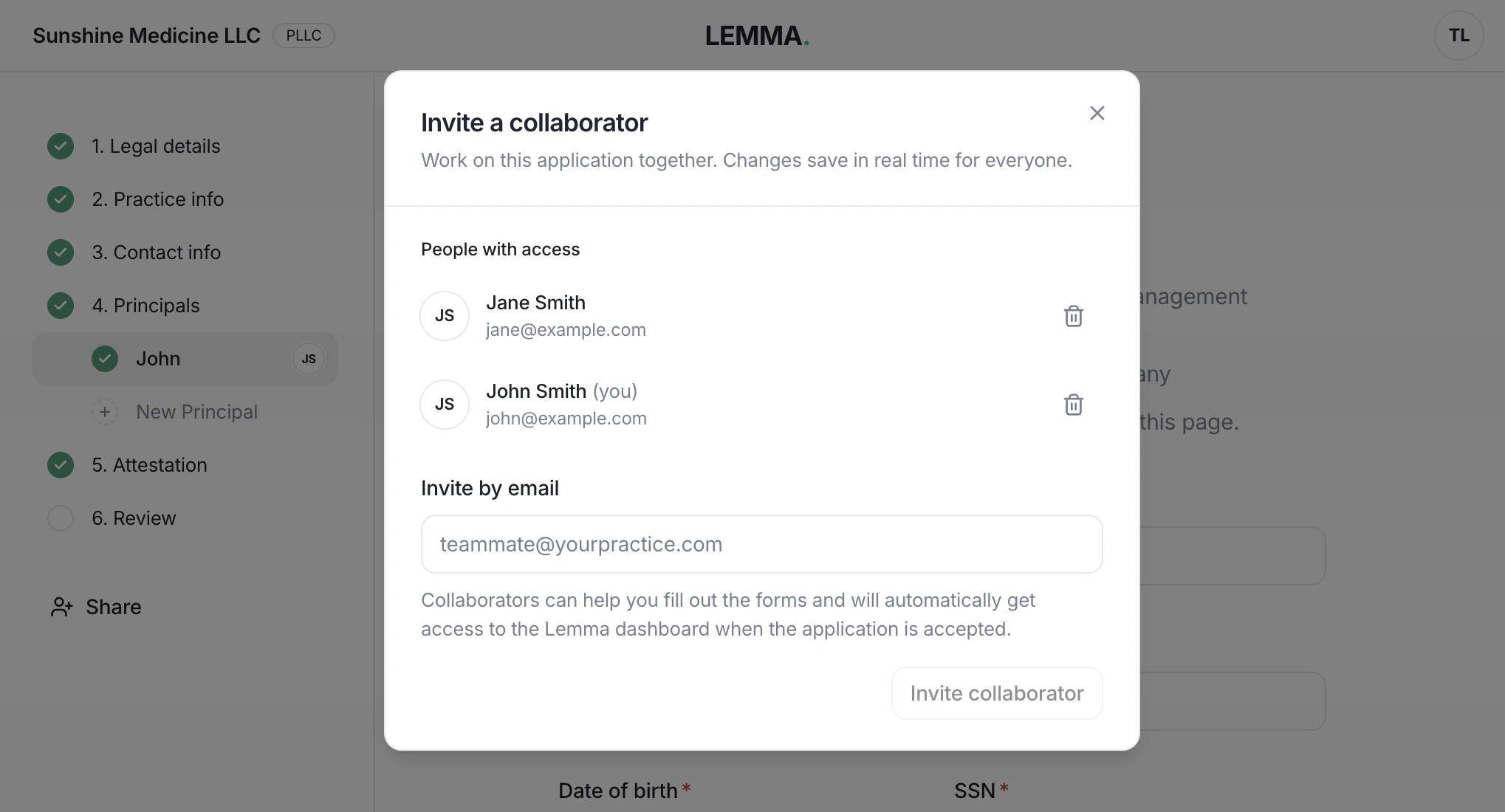
Invitation dialog with an email address field and a Send invite button
The collaborator receives an email with a link to the application. You can also copy the link for the page you’re on and send it to them directly — for example, over Slack or by text — once the invitation has been sent.

Sensitive fields

Some fields contain information that’s personal enough that even coworkers shouldn’t see it. Birthdays and Social Insurance Numbers fall into this category. When you click one of these fields, it opens in a private popup rather than directly in the form. Once you save the value:
  • It is encrypted immediately and stored in our database
  • It is not retained in your browser or transmitted to anyone else’s browser
  • Your collaborators can see that the field has been filled in, but cannot read the value
If you need to correct a sensitive field, you can overwrite it by entering a new value in the same popup. The original value is not shown.

Accessing the Lemma dashboard

When the account is approved, all collaborators automatically get full access to the Lemma dashboard. This is intentional — since beneficial owners are required to fill out the application, they’ll have access to the account without any extra setup. If you need to invite additional team members who weren’t part of the application, or remove a collaborator who shouldn’t have long-term access, you can do that from the team management page.

Managing multiple applications

If you’re onboarding several providers at once — for example, an MSO opening accounts for each of its professional corporations — you can start a separate application for each one. Click here to visit our onboarding dashboard where you can see all of your in-progress forms and onboard new entities any time.