In healthcare billing, money often arrives in one account but needs to end up in another. Insurance payments land in a passthrough account that feeds the operating account. An MSO collects on behalf of its PCs and needs to distribute funds daily. A practice keeps a reserve threshold and sweeps the rest to a higher-yield account overnight. Cash sweeps handle all of this automatically. You define a rule once — which account to watch, how much to keep, where to send the excess, and when to check — and Lemma runs it on schedule.Documentation Index
Fetch the complete documentation index at: https://docs.getlemma.com/llms.txt
Use this file to discover all available pages before exploring further.
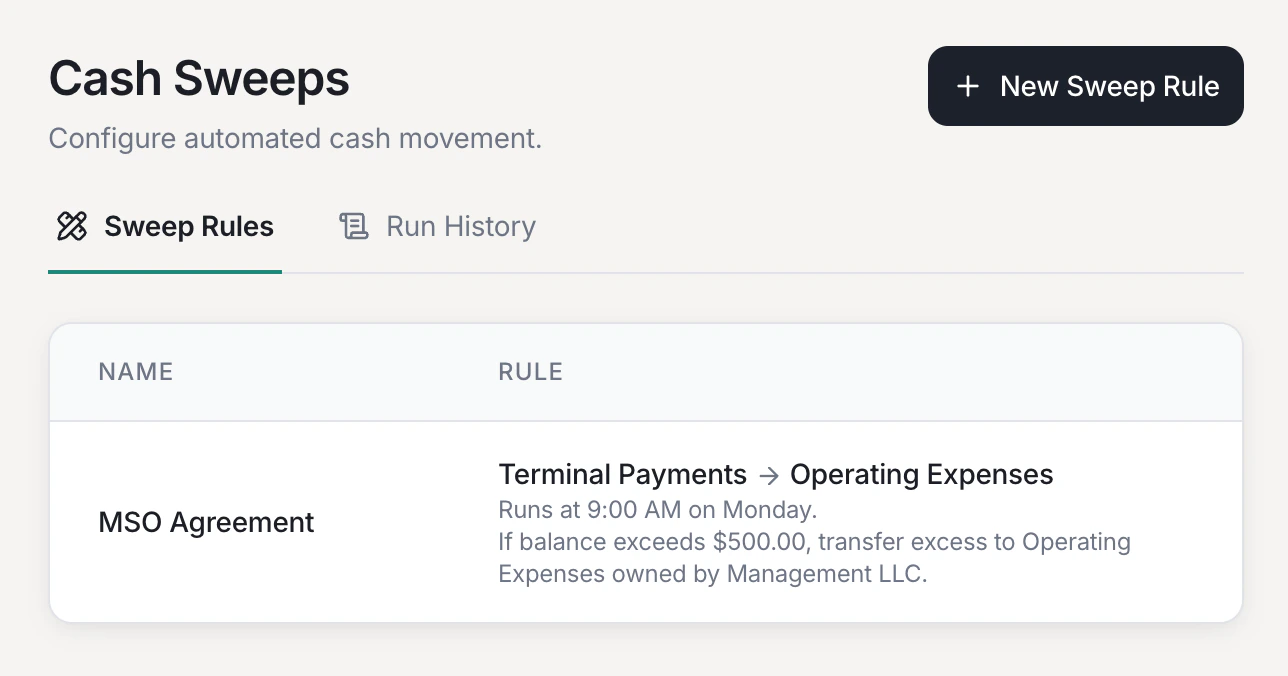
Creating a sweep rule
Configure the rule
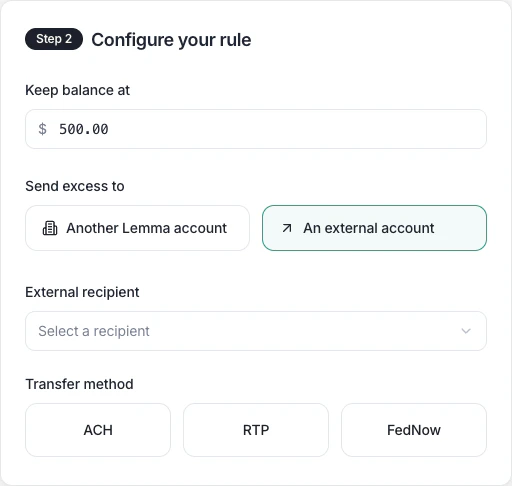
Set the minimum balance to keep, and choose whether excess funds go to another
Lemma account or an external recipient.
When to use sweeps
- MSO-PC fund distribution — an MSO collects insurance payments centrally, then sweeps each PC’s share to their dedicated account at the end of each day
- Passthrough accounts — a lockbox account receives all inbound checks, then sweeps the balance to your operating account after keeping a small reserve
- Cash concentration — multiple practice locations each maintain a local account, and excess funds are swept nightly to a single treasury account
Sweeping to another Lemma account
When both accounts are on Lemma, transfers settle instantly as book transfers at no cost. This is ideal for MSO-PC structures where the MSO and each PC both bank with Lemma. Select Another Lemma account, then pick the destination provider and account. If your organization only has one provider, the provider dropdown is skipped.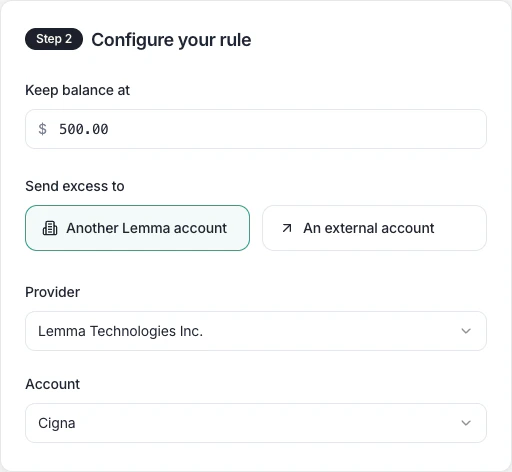
Sweeping to an external account
You can also sweep funds to a bank account outside Lemma. Choose your transfer method based on urgency and cost:| Method | Speed | Best for |
|---|---|---|
| ACH | 1-2 business days | Routine, low-cost transfers |
| RTP | Seconds | Urgent transfers up to $1M |
| FedNow | Seconds | Urgent transfers up to $500K |