> ## Documentation Index
> Fetch the complete documentation index at: https://docs.getlemma.com/llms.txt
> Use this file to discover all available pages before exploring further.
# Team management
> Invite team members and manage roles within your organization.
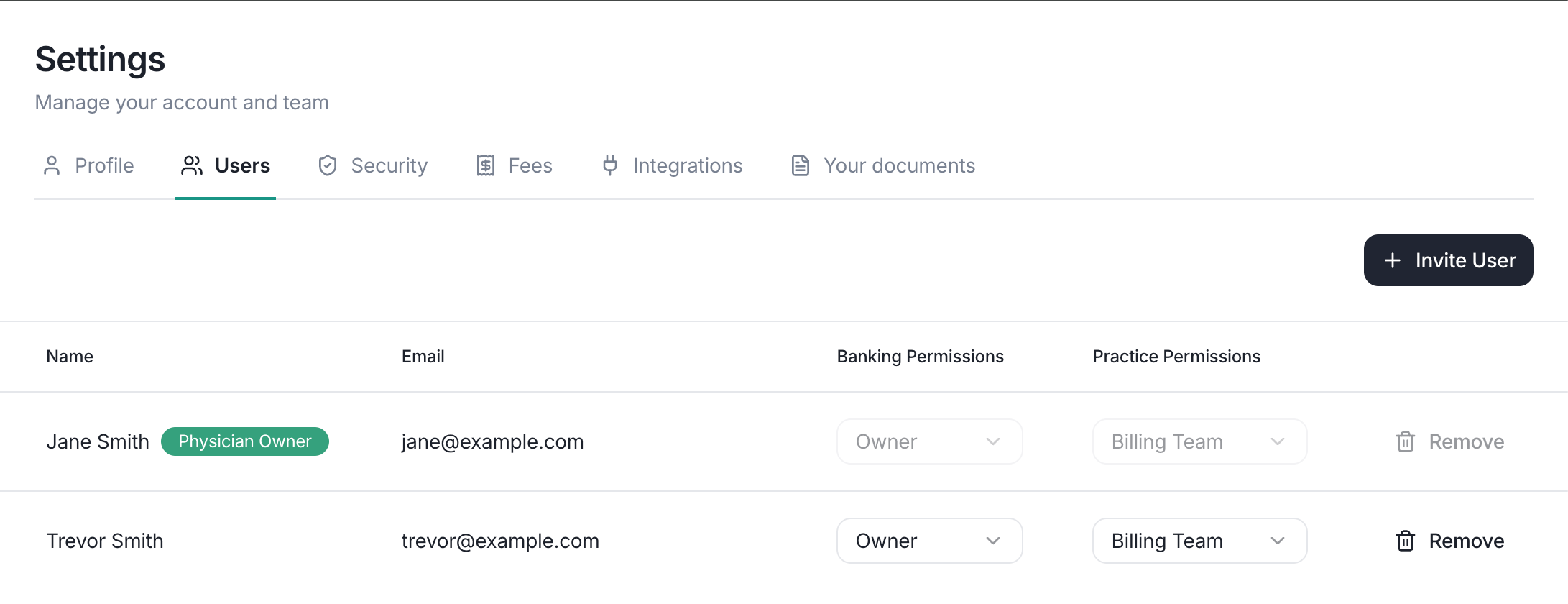
Lemma supports multiple users per organization with role-based access. Visit the [Users page](https://app.getlemma.com/_/settings/users) to manage your team.
## User roles
Each team member has **banking permissions** that control what they can do with money, and an optional **practice permission** that grants access to billing and clinical workflow features. More granular controls, like requiring approval on specific transactions, can be configured using [approval rules](/guides/approval-rules).
 ### Banking permissions
Every member has one of these banking roles:
| Role | Permissions |
| -------------- | ------------------------------------------------------------------------------------------------------------------------------------------------------------------------------------------------------- |
| **Owner** | Full access. Can move money, open accounts, issue cards, create sweeps, and manage team members. |
| **Accounting** | Everything Read Only can do, plus can move money, open bank accounts, issue debit cards, create cash sweeps, and send invoices. Cannot accept loans, approve transfer requests, or manage team members. |
| **Read Only** | Can view balances and transactions, export statements, categorize transactions, and deposit checks. Cannot move money, issue cards, or change settings. |
### Practice permissions
In addition to their banking role, a member can have the **Billing Team** practice permission enabled or disabled.
When enabled, the member can:
* Read all Lockbox mail and edit notes
* See health data imported from your EHR
* Approve EOBs and ERAs
* Upload EOBs directly
Owners can toggle practice access for any member from the [Users page](https://app.getlemma.com/_/settings/users). Practice access is independent of the banking role.
## Inviting a team member
An owner can invite new team members with the following steps.
1. Select [Invite user](https://app.getlemma.com/_/settings/users/invite) from your settings page.
2. Enter the person's email address
3. They'll receive an email with a link to join your organization
Pending invitations are listed on the [Users page](https://app.getlemma.com/_/settings/users) until the recipient accepts.
## Removing a team member
Owners can remove members from the [Users page](https://app.getlemma.com/_/settings/users). Select the member and choose **Remove**. Their access is revoked immediately, they will no longer be able to view any data for your organization.
### Banking permissions
Every member has one of these banking roles:
| Role | Permissions |
| -------------- | ------------------------------------------------------------------------------------------------------------------------------------------------------------------------------------------------------- |
| **Owner** | Full access. Can move money, open accounts, issue cards, create sweeps, and manage team members. |
| **Accounting** | Everything Read Only can do, plus can move money, open bank accounts, issue debit cards, create cash sweeps, and send invoices. Cannot accept loans, approve transfer requests, or manage team members. |
| **Read Only** | Can view balances and transactions, export statements, categorize transactions, and deposit checks. Cannot move money, issue cards, or change settings. |
### Practice permissions
In addition to their banking role, a member can have the **Billing Team** practice permission enabled or disabled.
When enabled, the member can:
* Read all Lockbox mail and edit notes
* See health data imported from your EHR
* Approve EOBs and ERAs
* Upload EOBs directly
Owners can toggle practice access for any member from the [Users page](https://app.getlemma.com/_/settings/users). Practice access is independent of the banking role.
## Inviting a team member
An owner can invite new team members with the following steps.
1. Select [Invite user](https://app.getlemma.com/_/settings/users/invite) from your settings page.
2. Enter the person's email address
3. They'll receive an email with a link to join your organization
Pending invitations are listed on the [Users page](https://app.getlemma.com/_/settings/users) until the recipient accepts.
## Removing a team member
Owners can remove members from the [Users page](https://app.getlemma.com/_/settings/users). Select the member and choose **Remove**. Their access is revoked immediately, they will no longer be able to view any data for your organization.